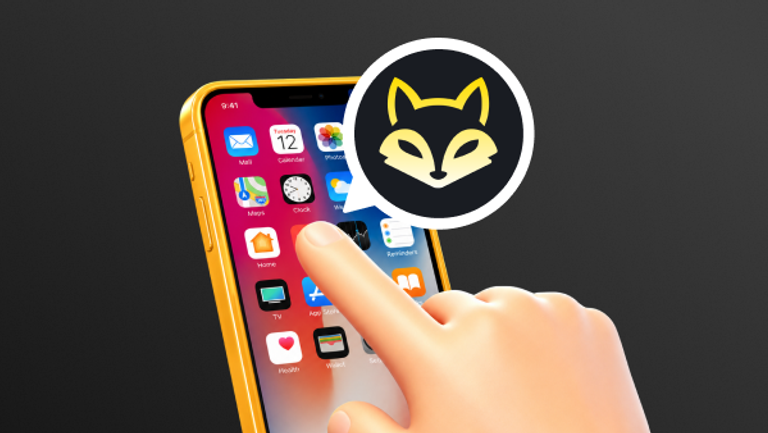
A Progressive Web App (PWA) is a website that has been upgraded to behave like a native mobile app — without needing to be downloaded from an app store. You open it in your browser, add it to your home screen in a couple of taps, and from that point it feels and works just like an app you installed.Under the hood, PWAs use a technology called Service Workers — background scripts that cache content locally on your device. This is what allows a PWA to load near-instantly, work in low-signal conditions, and send you push notifications, all without being a traditional app.
Why PWAs Matter for Crypto Casino Players
For crypto casino players specifically, PWAs solve several real problems:
- Always up to date: unlike native apps that require manual updates, a PWA updates itself silently in the background. You always have the latest version, the latest odds, and the latest features without doing anything.
- Faster load times: PWAs cache your most-used pages locally, so the lobby, your favourite games, and your wallet load significantly faster than a standard mobile website.
- Works with low connectivity: cached content means the app remains usable even when your signal drops, important during live sessions. More importantly, this enables you to avoid a severely compromised gaming experience resulting from network fluctuations, which is of paramount importance in crypto casinos.
- No storage bloat: a PWA uses a fraction of the device storage a native app would, with no residual data left behind if you remove it.
How to install a PWA on your device?
Android
1、Open Craybet.com in Browser: Navigate to your crypto casino's website Craybet.com using Google Chrome or other browsers on your Android device.
2、Tab the install prompt: Craybet will display an "Install App" bar within the profile, or a popup upon entering Craybet.com. Tap it.
3、Use the browser menu: If no prompt appears, tap the more icon (⋮) on the right edge of the Google Chrome address bar and select 'Install app' in the dropdown menu.
4、Confirmed and you've done: Tap 'Add' or 'Install' in the dialog that appears. The Craybet icon will appear on your home screen immediately.
Google Chrome, Microsoft Edge, and Samsung Internet are highly recommended.
Iphone/Ipad
1、Open Safari and link to Crypto Casino: Type craybet.com into safari's address bar and load the page. Craybet will provide the corresponding instructional guides and tutorials..
2、Tab the share button: Tap the Share icon at the bottom of the screen the box with an upward arrow (↑).
3、Select 'Add to Home Screen': Scroll through the share sheet and tap 'Add to Home Screen'.
4、Confirm the name and tap 'Add': Edit the app name if you like, then tap 'Add' in the top right.
Pre-iOS 16.4: Installing a PWA via the "Add to Home Screen" action was entirely restricted to Apple's native Safari browser.
iOS 16.4 and Later: Users running iOS 16.4 or above can now seamlessly install PWAs directly from the built-in menus of Chrome, Edge, or Firefox on their iPhones and iPads.
Windows (Chrome or Edge)
1、Open the site in Chrome or Edge: Navigate to the crypto casino Craybet.com on your computer browsers.
2、Click the install icon on the address bar or click "Install App" on the sidebar of Craybet: Look for the install icon on the right side of the address bar or the "Install App" item on the sidebar of Craybet, click it.
3、Install and launch: Click install in the popup.The PWA opens in its own window and can be pinned to your taskbar.
MacOS
1、Chrome / Edge (All macOS versions): Open the casino site Craybet.com→ look for the install icon (⊕) in the address bar → click it → click "Install" in the dialog. The PWA saves to ~/Applications. To add it to your Dock, open Finder → Applications → right-click the PWA icon → Options → Keep in Dock.
2、Safari(macOS Sonoma 14+ only): Open the casino site in Safari → click "File" in the menu bar → select "Add to Dock.." → confirm the name and click "Add".The PWA appears in your Dock immediately and opens as a standalone window.
Before macOS 14 (Ventura and earlier), Safari does not support PWA installation at all — uses Chrome or Edge instead. The PWA installs to ~/Applications but does not appear in your Dock automatically; you need to drag it there manually.
From macOS 14 (Sonoma) onwards, Safari gains native PWA support via "File → Add to Dock". The installed app integrates fully with macOS — it appears in the Dock, the App Switcher (⌘+Tab), Spotlight search, and the macOS Notification Centre, making it indistinguishable from a native Mac app.
PWAs represent a genuine shift in how online casinos reach their players. For crypto casinos, in particular, where app store policies create real barriers to native app distribution — the PWA is not a fallback option. It is often the primary mobile product.
From a player's perspective, the experience is straightforward: visit the site, add it to your home screen, and get a fast, app-like casino experience that works on any device, updates itself automatically, and leaves no trace when removed.
The main thing to remember: if you are on an iPhone, use Safari. If you are on Android, Chrome gives you the best experience. Everything else takes care of itself.